
跳转到主要内容
搜索

Phoenix® Model Designer

Model smarter, not harder, with an interactive library of NLME models for new and experienced pharmacometricians

Explore, configure, and simulate NLME models — without leaving your browser

Scientists new to pharmacometrics face a steep learning curve: mastering NLME concepts, searching for working examples, and getting comfortable with legacy tools built for experts, not learners. Experienced pharmacometricians face other hurdles, like tool switching, code handoffs, and an ever-expanding universe of base models to consider. All these constraints delay the work that matters: finding, fitting, and evaluating the right model for your data and questions.

Model Designer is Certara’s cloud-based nonlinear mixed-effects modeling software tool within Phoenix® Cloud, designed for scientists, not software engineers. Browse a curated model library, configure model structures with guided options, author Phoenix Modeling Language (PML) with context-aware AI at your side, and simulate in real time — all from your browser, with nothing to install.

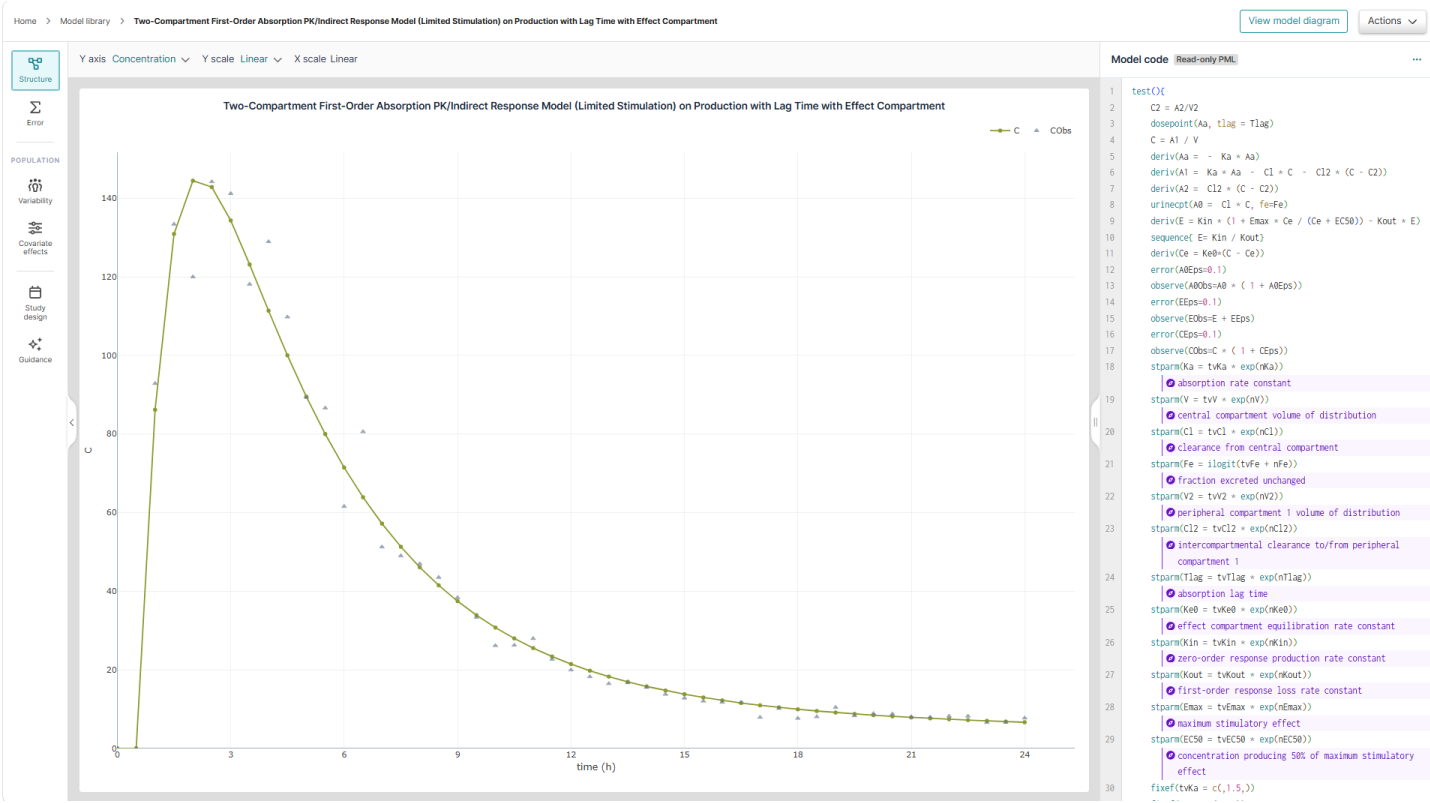
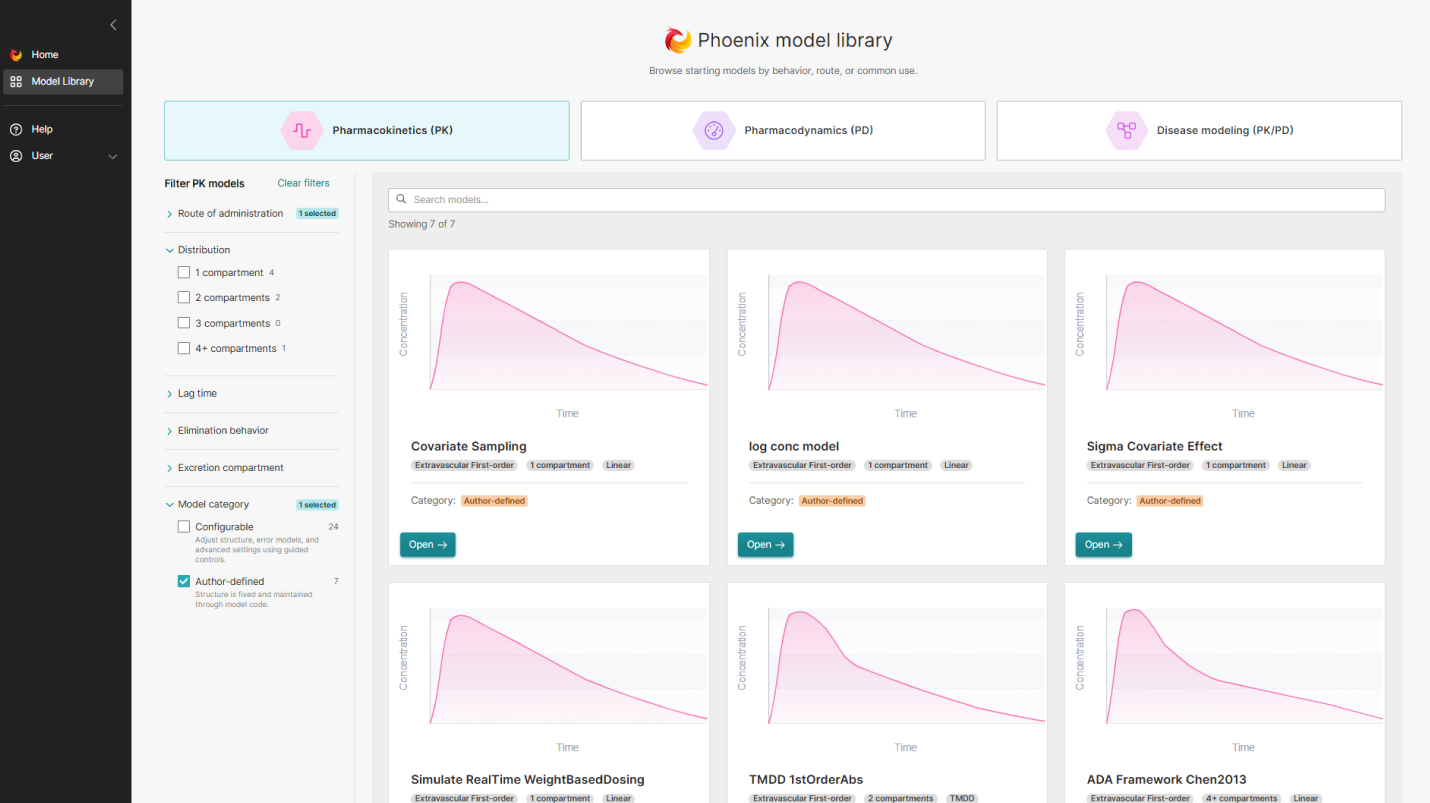
Learn PML by exploring real, working models
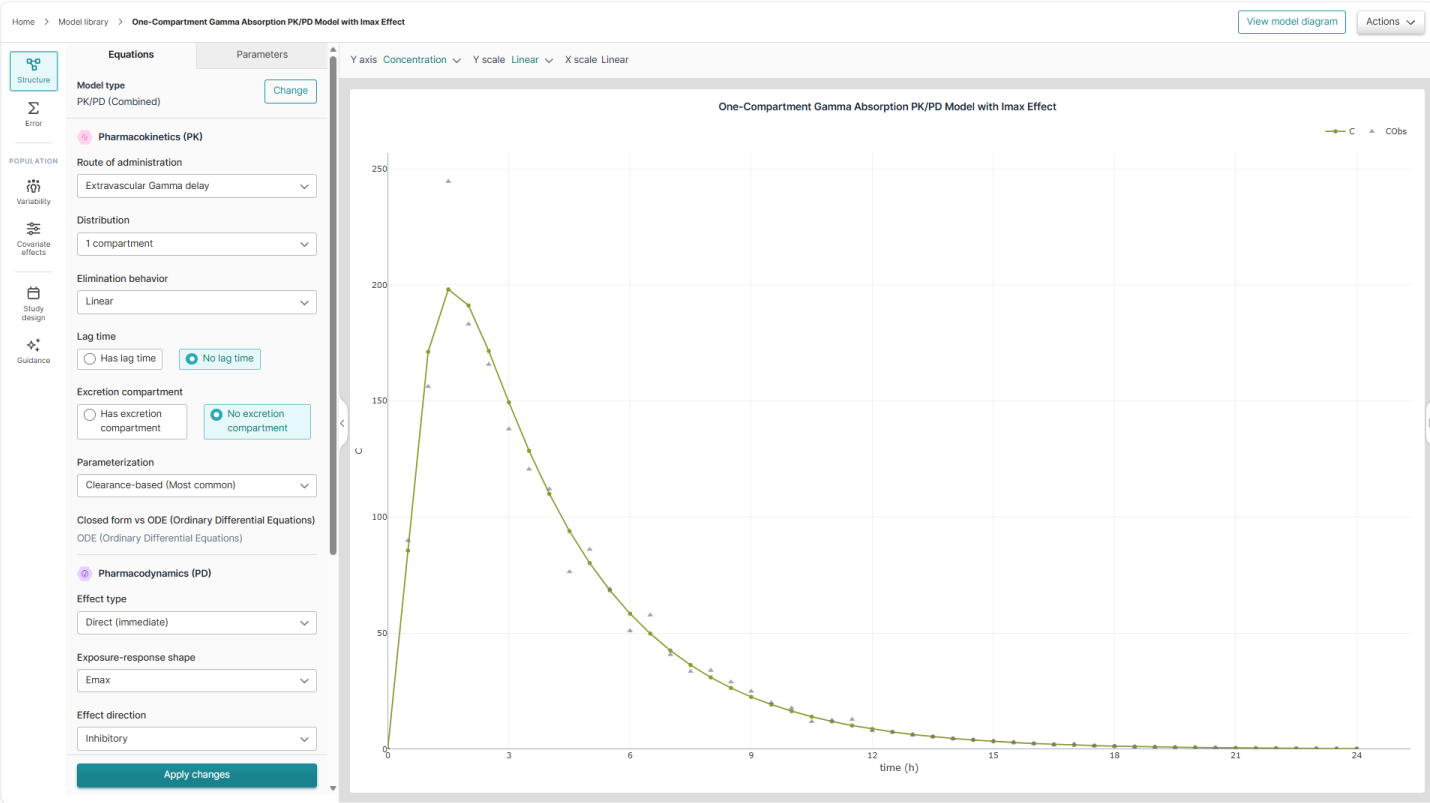
Build model structures with guided low-code configuration
Get AI guidance at every step, not just autocomplete
Simulate and visualize results in real time
Download models for Phoenix NLME, RsNLME, and Pirana
No install, no license, and available to all users of NLME in the cloud

Everything you need to go from idea to model

Learn by doing, not by guessing

Every model in the curated library is also a lesson. Browse PK, PD, and PK/PD templates organized by therapeutic use case, and reverse-engineer how experienced pharmacometricians structure their models.

Guided model configuration

Build a model structure without writing a single line of code. Choose compartments, absorption, elimination, and covariates from guided menus built around real pharmacometrics decisions.

AI assistance that explains, not just autocompletes

Context-aware AI guides you through model design and PML authoring — like having a senior pharmacometrician looking over your shoulder, ready to explain the why behind every choice.

Full PML control when you're ready

Move into the PML text editor whenever you want deeper control. Syntax validation catches errors as you type, so you spend less time debugging and more time learning the language.

Simulate without the setup

Run a simulation and see graphical results in seconds, on shared cloud compute. No cluster to configure, no waiting — just immediate feedback on how your model behaves.

Take it with you – and keep it private

Download your model and dataset to continue the work in Phoenix Desktop, Pirana, or RsNLME. What you learn in Model Designer travels with you into the tools the industry runs on. At the same time, Model Designer neither stores nor shares your data or work.

为什么选择 Certara?

Certara empowers drug development with innovative software solutions and expert guidance, ensuring success at every stage.

了解更多关于 Certara 软件和服务介绍
90
从 2014 年到 2025 年,Certara 客户获得了美国 FDA 批准的全部新药中 90% 及以上的上市许可
2,600
企业信任我们的软件
23
Global regulatory agencies have adopted Certara technology solutions
20
years of industry leadership, 1,550+ employees, 430+ with PhDs, across 33 countries

Your science stays yours

Certara 信息安全管理体系(ISMS)已通过 ISO 27001 认证。我们已实施严密的安全控制措施,完成严格的风险评估,并持续改进。Model Designer runs on cloud infrastructure governed by the security controls of our ISO 27001-certified ISMS.

了解更多信息,请访问我们的信任中心

Go from zero to model

Model Designer is included as part of Phoenix Cloud for those users that have NLME as part of their package. Trial licenses are available for users of Phoenix NLME (desktop version) and/or Pirana. An academic license is provided at no charge for students and faculty at academic institutions.

Not a user? Let us show you firsthand the combined power of Model Designer and these proven pharmacometrics solutions. Submit this short form to request a demo.

发送查询


常见问题解答

Do I need special hardware, IT setup, or software licenses installed to run models?

No. As cloud-based nonlinear mixed-effects modeling software, Model Designer runs entirely in your browser on shared cloud compute, there’s no local installation, no IT configuration, and no hardware constraints to work around. You get the same environment and performance whether you’re on a laptop or a workstation.

What level of pharmacometrics experience do I need to use it?

None required. Model Designer is pharmacometrics software built to meet you wherever you are: guided wizards and AI explanations help newcomers learn NLME concepts step by step, while the full PML editor and advanced configuration options give experienced modelers the depth and control they’re used to.

What license do I need to access Model Designer?

If you’re an existing Phoenix Cloud NLME user, Model Designer is included at no additional cost. Trial licenses are available if you currently use Phoenix NLME (desktop) and/or Pirana, and an academic license is offered free of charge to students and faculty. If you’re not yet a Phoenix user, you can request a demo to explore what the tool can do.

Can I bring my own models or data into Model Designer?

You can bring your own data into a model as you configure and simulate it, and export the finished model, dataset, and PML for use in Phoenix NLME, RsNLME, or Pirana. Submitting your own custom models to the shared library isn’t supported in this first release — the library is currently curated by Certara — but it’s on the roadmap, and Certara welcomes suggestions of models worth adding, along with their literature references.

沪ICP备2022021526号

Powered by Translations.com GlobalLink Web Software